| Purchase Orders: Working Procedures |
|
|
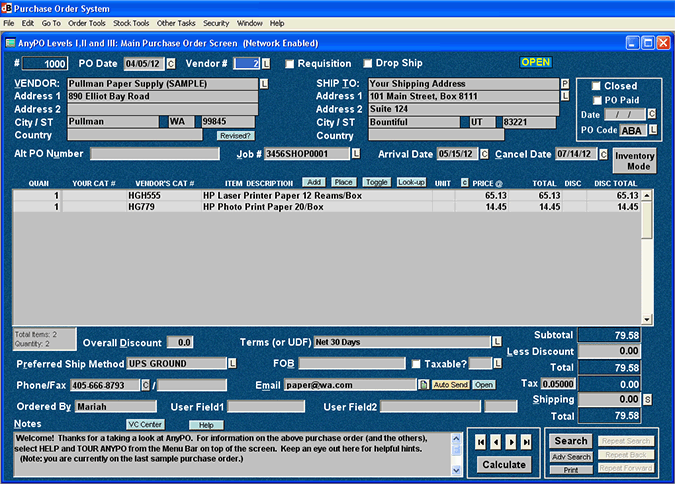
This chapter is about the Main Purchase Order Screen (shown below), but it specifically concentrates on PO's themselves. It's all about the working procedures associated with creating, editing, printing and sending PO's to your vendors.
It includes topics like how to start a new PO, how to automatically paste the vendor's name and address to a PO, how to copy addresses from PO to PO, how to void PO's, how to search for PO's. It includes information on how to code PO's, how to lock them, how to convert them to another currency, how to enter payments, and much more. Links to all of these functions and features are found below.
Almost all of these functions are accessed from the Main Purchase Order Screen. The Main Purchase Order Screen is AnyPO's central command center. From here, you can move to all parts of the program.
For more information on working procedures, select from any of the topics listed below:
|